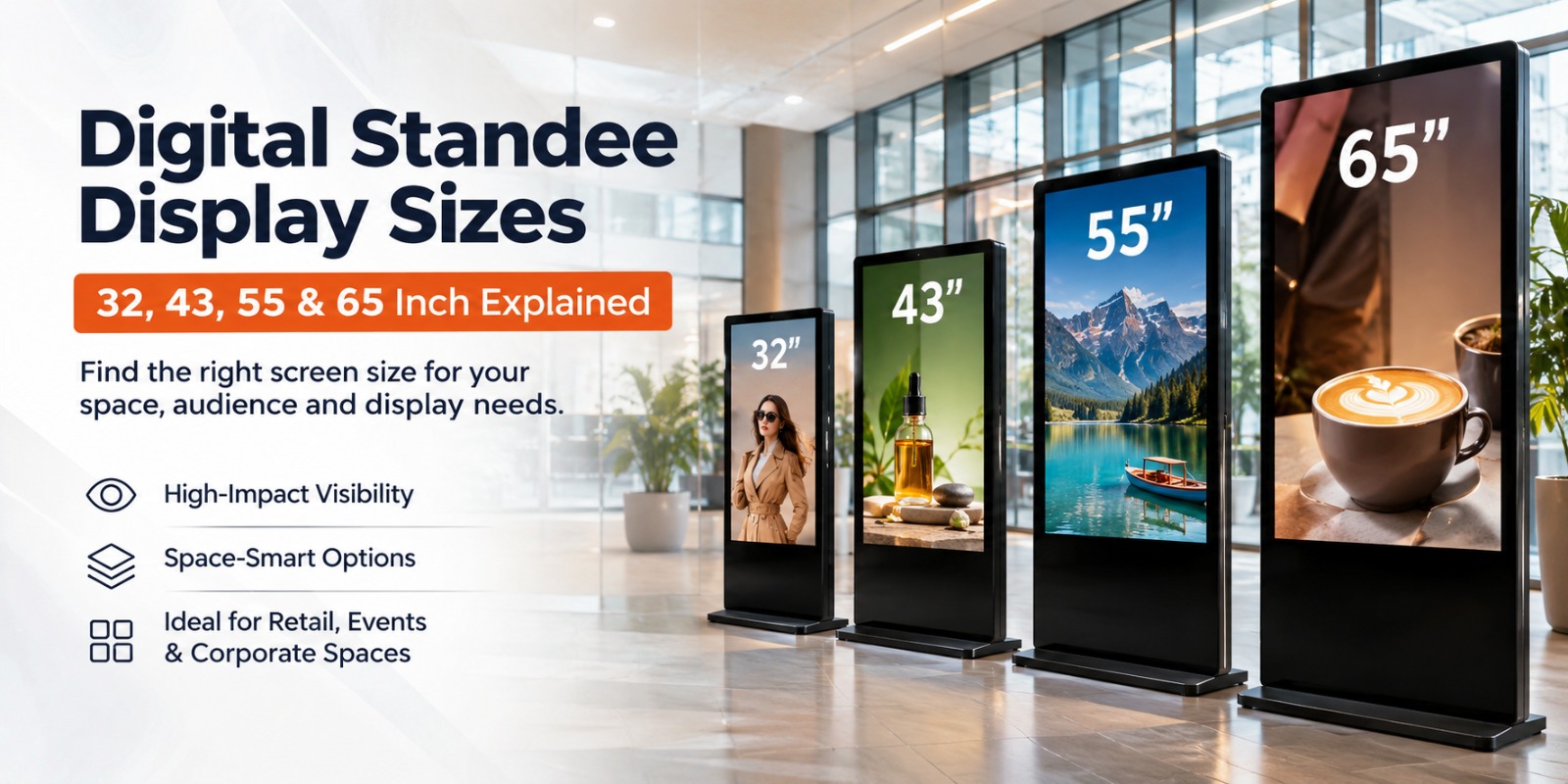
Digital screens are commonly used by companies to advertise products, make announcements, and direct people around. But when it comes to the choice of screen size, the matter is not as simple as just picking the largest possible model. The screen of a digital standee should fit the place of installation, the viewing distance and the content shown on it. The small 32-inch screen can do for the reception area, but the 65-inch model would be better suited to a commercial location. Knowing the difference between the 32, 43, 55 and 65-inch screens would help a company make the right choice.
Why Display Size Matters When Choosing a Digital Standee
Screen size affects how comfortably people can view promotional messages, videos, announcements, and other information. A display installed near a service counter has different requirements from one placed at a shopping mall entrance.
Before selecting a screen, consider:
- Viewing distance: Content should remain readable from the usual distance at which visitors view the screen.
- Available space: The display should fit comfortably without blocking walkways or interfering with nearby activities.
- Content type: Promotional videos, product images, and detailed information may require different screen dimensions.
- Audience movement: A screen placed in a busy passage should communicate its message quickly and clearly.
- Installation position: Screen height, orientation, and viewing angle influence the overall experience.
The right size is therefore a balance between visibility, location and business requirements. A larger screen is not automatically a better investment if the available space or audience behavior does not justify it.
Understanding 32-Inch Digital Displays
A 32-inch screen is a practical option for businesses working with limited installation space. Its relatively compact size makes it easier to consider for smaller indoor environments where visitors view information from nearby.
Possible applications include:
- Reception counters and small office waiting areas.
- Retail outlets with limited floor space.
- Clinics and customer service desks.
- Small restaurants displaying promotional information.
- Internal information points in workplaces.
A 32-inch screen can present product images, short promotional videos, announcements, and basic information. It may also be suitable for businesses that want to replace printed notices with a reusable digital format.
However, content design is important. Small text, crowded layouts, and too many messages can make information difficult to read. Businesses should use clear headlines, suitable image sizes and concise messages.
When Should You Choose a 43-Inch Display?
A 43-inch screen offers more display area than a compact model while remaining suitable for many indoor business environments. It can be considered when a business needs better visual presence without moving to a much larger installation.
Potential applications include:
- Retail stores displaying product promotions.
- Corporate reception areas sharing visitor information.
- Clinics communicating service details.
- Restaurants presenting announcements and promotional content.
- Customer waiting areas where people need to view information comfortably.
This size can provide additional room for combining images, headings, and supporting information. For example, a retailer may display a product image alongside a short promotional message rather than squeezing everything into a smaller layout.
A 43-inch model may be a sensible middle option for businesses that have moderate floor space. Before choosing it, assess the distance between the screen and its intended audience, along with the available installation area.
What Makes a 55-Inch Display Suitable for Larger Spaces?
A 55-inch screen provides a larger visual area and may be useful in locations where content needs to be more noticeable. Businesses with wider reception areas, retail environments, or public-facing spaces may consider this option.
Common applications include:
- Shopping malls and larger retail stores.
- Corporate lobbies and office entrances.
- Hotel reception areas.
- Exhibition spaces and event venues.
- Educational campuses and institutional buildings.
The additional screen area can provide more flexibility when presenting videos, product visuals, promotional campaigns, and announcements. It may also allow businesses to use larger text and more prominent imagery.
Placement still matters. A large screen installed behind furniture, near strong reflections or at an unsuitable height may not communicate effectively. Businesses should evaluate the surroundings before deciding where to install it.
Is a 65-Inch Display the Right Choice for Your Business?
A 65-inch screen is worth considering when the installation environment has enough space, and the display needs to make a strong visual impression. It may suit larger indoor locations where visitors need to notice information while moving through the area.
Possible applications include:
- Shopping centre entrances.
- Large corporate buildings.
- Exhibition and event venues.
- Hotel lobbies.
- Public information areas.
- Spacious retail environments.
A larger screen offers more room for visual content, but it also requires careful planning. Businesses should consider transportation, installation access, electrical arrangements, and the amount of available floor space.
Content should be designed for the screen rather than simply enlarged from a smaller format. Images should remain clear, text should be readable and important information should be easy to understand. The final choice should depend on the actual installation environment rather than screen size alone.
32 vs 43 vs 55 vs 65 Inch: How to Choose the Right Size
Each screen size serves a different purpose. The following general comparison can help narrow down the options:
- 32-inch: Consider this for compact reception areas, service counters, and smaller shops and locations where viewers stand relatively close to the screen.
- 43-inch: A practical option for medium-sized retail outlets, clinics, office reception areas, and customer waiting spaces.
- 55-inch: Consider this for larger retail environments, hotel lobbies, corporate entrances, and exhibition areas where additional visual space is useful.
- 65-inch: May suit spacious commercial environments, shopping centre entrances, and larger public-facing locations where a prominent screen is required.
These are general application suggestions, not fixed rules. Two businesses with similar floor areas may still need different screen sizes because their layouts, viewing conditions, and content requirements differ.
It is also important to remember that screen dimensions alone do not determine image quality. Resolution, brightness, panel quality, and the surrounding lighting conditions should be checked for the selected model.
How to Select the Right Display for Different Business Locations
The intended location should guide the buying decision.
Retail Stores and Shopping Malls
Retail businesses can use screens to communicate product launches, seasonal promotions, special offers, and brand messages. Smaller outlets may prefer compact installations, while larger stores and mall entrances may have enough space for bigger screens.
Corporate Offices and Reception Areas
Corporate displays can present visitor information, company announcements, internal updates, and meeting-related information. The screen should complement the reception layout and remain visible without obstructing visitor movement.
Hotels and Restaurants
Hotels may use screens for event announcements, guest information, and promotional messages. Restaurants can display offers, menu highlights and service updates. Screen size should be selected according to the viewing area and the amount of information being presented.
Hospitals and Healthcare Centres
Healthcare facilities may use displays for department information, service announcements, queue updates and general visitor guidance. Clear text and suitable placement are particularly important in these environments.
Events and Exhibitions
Event organisers may use larger displays for schedules, sponsor messages, promotional videos, and directional information. The screen should be positioned where visitors can view it without creating congestion.
Important Features to Check Before Buying
Screen size is only one part of the purchase decision. Businesses should also evaluate the hardware and software that come with the selected model.
- Display technology: Check the LCD or other display technology offered and review the image quality specifications.
- Screen orientation: Confirm whether portrait, landscape, or both orientations are supported.
- Enclosure and build: Consider the installation environment and available metal or wooden enclosure options.
- Content management software: Understand how images, videos, and announcements can be uploaded and managed.
- Connectivity: Confirm whether the selected model supports Wi-Fi, LAN, or USB-based content transfer.
- Display layouts: Check whether the software supports different content arrangements, headlines, or scrolling text.
- Content updates: Ask whether updates can be made locally or remotely and whether additional configuration is required.
- Installation: Review floor space, electrical access, transportation, and maintenance requirements.
- Technical support: Confirm warranty terms, service availability, and support arrangements.
For businesses exploring commercial display technology, digital signage can provide a flexible way to communicate information through centrally planned visual content. However, software capabilities and connectivity options should always be confirmed for the specific model being considered.
How to Choose a Display That Fits Your Long-Term Business Needs
Before finalising a purchase, work through the following checklist:
- Identify the purpose: Decide whether the screen will be used for advertisements, visitor information, announcements or a combination of content.
- Measure the location: Check the available floor area and installation height.
- Understand viewing conditions: Consider how far away visitors will normally stand.
- Select orientation: Decide whether portrait or landscape presentation suits the content.
- Review software: Check content upload, playback and management requirements.
- Confirm connectivity: Ensure the available connection options match your business setup.
- Evaluate the enclosure: Select a build suitable for the intended indoor environment.
- Plan maintenance: Understand service, support and replacement arrangements.
- Verify specifications: Confirm the exact features of the chosen model before placing an order.
How to Select the Right Digital Standee Display for Your Business
The best selection starts with the way your business intends to use the screen. A small store may prioritise compact placement, while a shopping centre may need a more prominent display. Consider the audience, viewing conditions, available space and content format together.
Also review the software, connectivity, orientation and enclosure before making a decision. If several sizes appear suitable, compare their actual specifications and request a demonstration where possible. This helps ensure that the selected Digital Standee Display fits your operational needs rather than being chosen on screen dimensions alone.
Conclusion
Choosing between 32, 43, 55 and 65-inch screens depends on the business location, viewing distance, available space and type of content. Smaller options can suit compact indoor areas, while larger screens may be more appropriate for spacious commercial environments. Software, connectivity, orientation and installation requirements also deserve attention. Explore the available display options from ADRTech India and discuss your requirements with its team before selecting a suitable configuration.
Frequently Asked Questions
1. What size digital standee is best for a small retail store?
A 32-inch or 43-inch screen may suit a small retail store, depending on available floor space, viewing distance and content requirements. Measure the installation area and consider where customers will normally view the display.
2. What is the difference between 43-inch and 55-inch digital displays?
A 55-inch screen provides a larger viewing area than a 43-inch model, allowing more space for visual content. The right option depends on the installation location, audience distance and visibility requirements.
3. Is a 65-inch digital display suitable for shopping malls?
Yes, a 65-inch screen may suit larger shopping mall areas, entrances and promotional spaces. Its suitability depends on installation space, viewing angles, surrounding lighting and the type of information or advertising being displayed.
4. Can digital standee displays show videos and promotional content?
Yes, compatible display hardware and signage software can support videos, images, promotional messages and announcements. Supported formats, playback options and content management features should be confirmed for the selected model.
5. What should businesses check before purchasing a digital standee?
Businesses should check screen size, orientation, installation space, display specifications, connectivity, content management software, enclosure, maintenance and technical support. Confirming the exact configuration before purchase helps avoid choosing a model that does not meet operational needs.