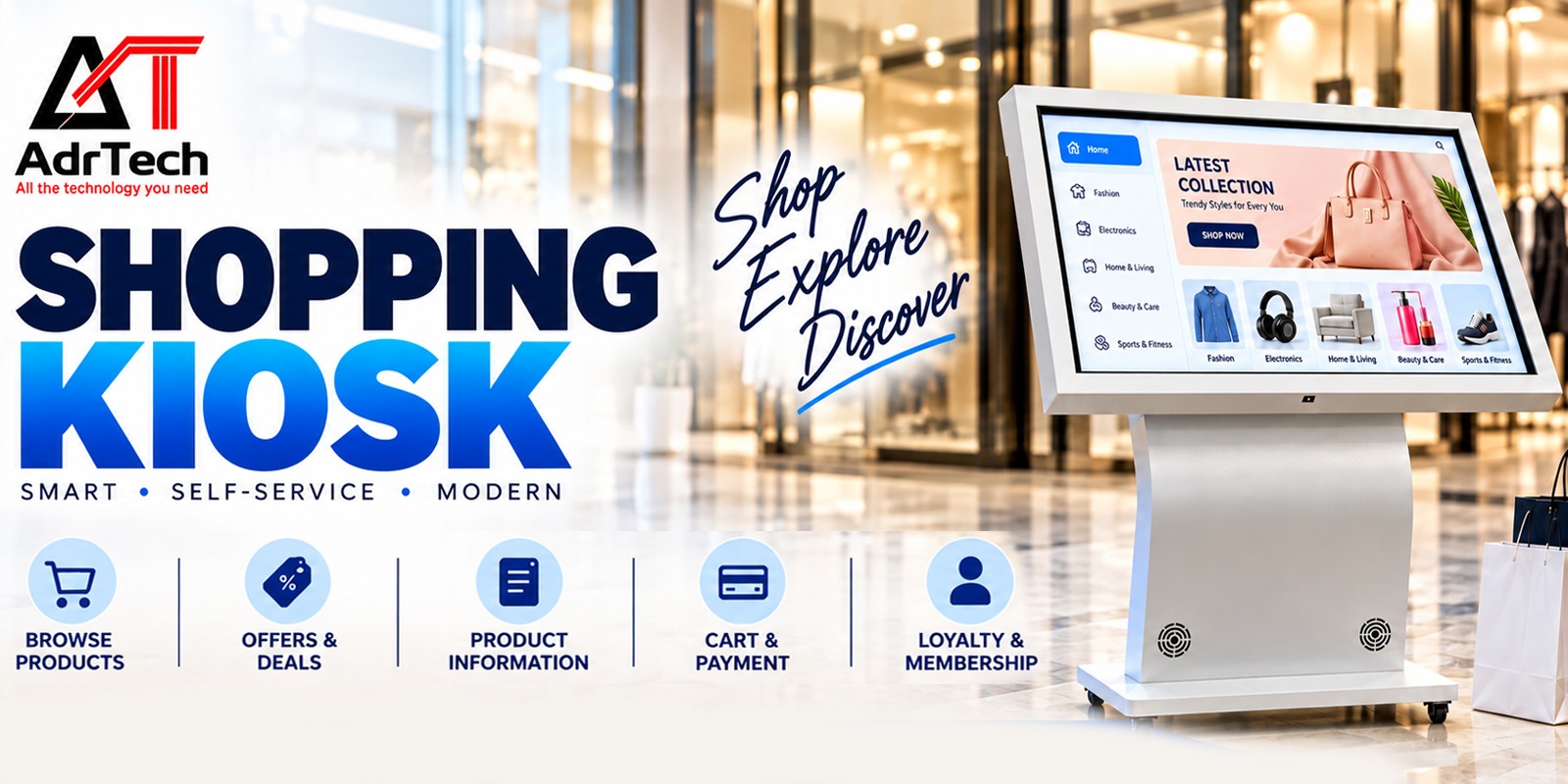
Selecting a kiosk supplier requires more than considering the aesthetics of the kiosk and its cost. Retailers require kiosks that can be adapted to fit into their stores and meet customers’ needs and maintenance requirements. The touchscreen smart shopping kiosk may be useful for customers to shop around and to get store information.
What Is a Smart Shopping Kiosk?
The Touchscreen Smart Shopping Kiosk is an interactive digital point of sale where customers can browse through product information or get access to certain store services via the screen. The capabilities of this machine depend on its software and system integration and may include product catalogue, store directory, promotions, availability, or directions. Order processing, payment transactions, barcode reading, and stock level tracking are not inherent characteristics of all types of devices, so make sure to check with your vendor.
The first step is to be aware of what the consumer has to do. The showroom requires a product catalogue, whereas the mall requires directories and navigational facilities.
Why Does the Manufacturer Matter?
The supplier is important in terms of enclosure, displays, integration, software, and post-installation facilities. The product that appears to be useful for the purpose through the catalogue may not match the environment of the shop/store, withstand the usage, and get integrated with other systems.
Think about the total cost of ownership rather than the quoted price. Find out whether installation, set-up, software license, training, maintenance, and spares are part of the quoted price or are additional costs.
Features to Check Before Choosing a Manufacturer
Display and touch performance
Screen specifications to be checked include size, resolution, brightness, viewing angles, and touch sensitivity under desired lighting conditions. A demonstration should be requested, and tests conducted on searching, scrolling, selection of products, and going back home. Text must be legible and buttons easily selectable for first-time users.
Build quality and installation
The enclosure should be checked for its quality, strength, air circulation, cable management, and maintenance. There is a distinction in the requirements of busy mall conditions and those of a storeroom. Location, work schedule, electrical connections, and floor space should be made known before designing the system.
Software and content updates
Inquire about updating procedures for product information, pricing and promotions, management of the content and remote updates of the system. A sound content management system will avoid confusion among shoppers over outdated information.
Integration and compatibility
Create a list of the required software, such as the inventory software, POS system, barcode system, print capability, and payment or accounting software, that needs to be integrated prior to vendor comparisons. The next step would be asking the vendor how many are already compatible, how many need further development, and who is going to test them.
Accessibility and privacy
Test for readability, navigability, screen height, and usability. If personal information is being collected, find out what type of information is collected, why, by whom, and when it is deleted.
How to Evaluate a Manufacturer in India
This checklist will help when assessing Touch Screen Kiosk suppliers or manufacturers:
- Review the real product lineup and obtain the specifications for the particular model being offered.
- Request a demonstration of the kiosk with the task being done by the customers in your retail store.
- Check the customizations required, installation requirements, site preparation, and deliveries.
- Obtain the quotation with detailed cost breakdowns for the hardware, software, integration, installation, and ongoing costs.
- Assess the warranty terms, support hours, escalation process, and replacement of parts.
- Gain customer references, if any, and validate those references.
- Define the acceptance criteria prior to delivery of necessary functionality and integrations.
A good Touch Screen Kiosk supplier is as upfront about their weaknesses as their strengths. Know how you are going to cope with disconnections, replacement of parts and failure of integration.
Questions to Ask Before Ordering
Before approving a touch screen kiosk proposal, be aware of what comes with the cost, hardware, software, and customizability of the user interface. You must be clear on who is in charge of the maintenance of the content and what will happen in the event that the kiosk malfunctions, incurring additional charges for installation and upgrade.
In case the kiosk requires interfacing with the retail system, seek consultation from your IT/operations manager prior to placing a purchase order. Require the vendor to specify any dependency on other hardware and software platforms.
Common Buying Mistakes to Avoid
The choice should not be based on price alone, nor assume that all features will be included or that the screen is suitable without checking its performance under the lighting conditions in which it will operate. Other pitfalls are neglecting annual software costs, ignoring the limitations of a warranty, and neglecting to designate who will keep the product information up to date.
If a large number of units is to be purchased, a pilot study is recommended. The employees and sample customers should attempt to complete some typical transactions, observing when they encounter difficulties and whether they can complete the task without assistance.
How to Make the Final Decision
Process for Selection of Touchscreen Smart Shopping Kiosks includes making the user task list on paper and listing down the technical specifications. Identify the companies that fulfill your technical specification requirements, and then compare their quote sheets along with testing their experience. Make sure to go for the product that offers you good usability, reliability, integration requirements, and low ownership cost.
Companies looking to evaluate the touchscreen smart shopping kiosk against other kinds of interactive screens may contact ADRTech India.
Frequently Asked Questions
1. What are the things that I must consider while choosing a kiosk manufacturing company in India?
Specifications of products, quality of manufacturing, customization options, software compatibility, installation services, warranty, and maintenance. Ensure that you get the demo, quotation, and references from the prospective manufacturers.
2. What features should I look for when buying a shopping kiosk?
Look at the display quality, the touch response, the enclosure durability, the navigation, content updates, and whether it is accessible and needs any specific integrations. Make sure what comes with the model you quoted and what needs to be developed or added by other software.
3. Is it possible to customise the shopping kiosk for my retail store?
A lot of kiosk implementations can be customised according to branding, enclosure design, screen size, or workflow of the software, but it depends on the vendor. Provide all your needs and ask for written confirmation about the possibilities of the customization and costs involved.
4. What determines the overall cost of a shopping kiosk?
Overall costs depend on display, case, hardware, software, customisation, integration, installation, training, licensing and support. Do not just compare purchase price—consider itemized quotes and costs that recur.
5. Why is after-sales support an important factor in selecting a kiosk vendor?
After-sales support assists in sorting out any problem, repairing it, supplying new parts, and maintaining the software or content as required. Make sure you have knowledge about the support timings, exclusions from warranty, and cost of maintenance before signing up on the dotted line.